If you’re into digital marketing or own a website, chances are you know about SEO tools and how they can help boost your online presence. With 68% of online experiences starting with a search engine, SEO reporting is essential for tracking rankings, analysing performance, and optimising strategies to maintain visibility and drive consistent organic traffic. These SEO Reporting tools give you crucial info like finding keywords you’re missing, spotting chances for more links, and comparing your website traffic.
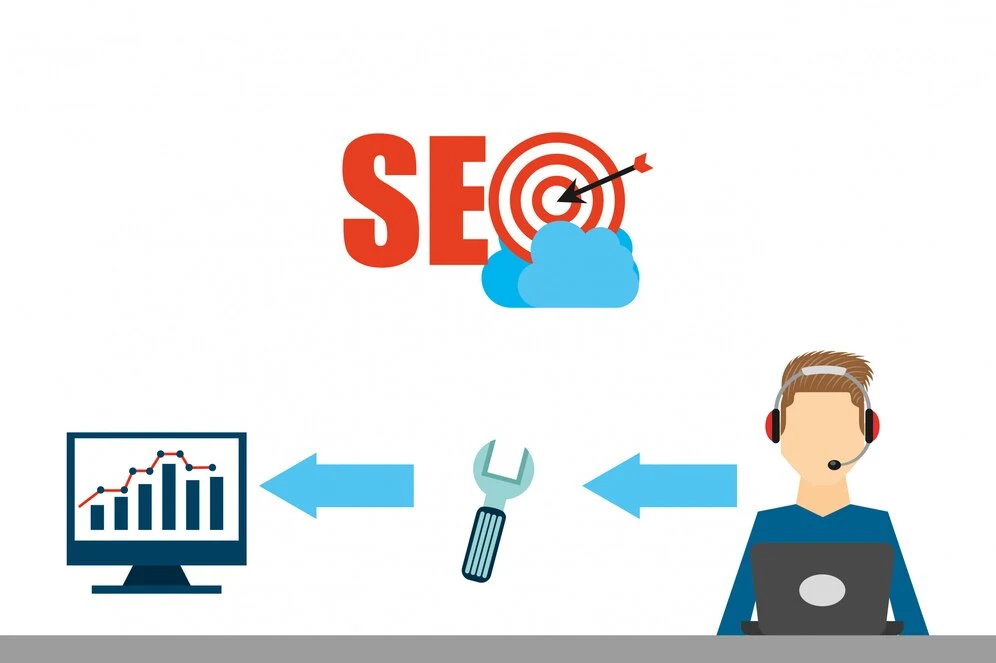
SEO reporting is like a digital compass for marketers, helping them navigate the world of search engine optimisation. Getting to the top of search results is like finding treasure. But how do you get there and stay there? The secret is using intelligent SEO reporting. By keeping an eye on key SEO data, you can make better decisions about how to improve. Without good reporting, it’s like wandering around blindfolded, not knowing where you’re going. Good reports show you the way and prove the value of your hard work to everyone involved.
In this blog, we will find the best tools for free SEO reports. We’ll cover everything from the basics to advanced tools, so whether you’re new to SEO or a pro, you’ll find something valuable.
Key Takeaways
-
SEO report tools are essential in tracking website performance and providing a clear picture of optimisation opportunities. These SEO reports make great sense in the successful use of digital marketing because they are important in tracking improvements made through search rankings.
-
Free tools like Google Analytics, Ahrefs, and Google Search Console will report on various aspects of keyword rankings or organic traffic and the overall health of a site to help a business fine-tune its SEO efforts.
-
Monitoring key metrics, such as keyword movements, backlinks, and technical issues, helps you make data-driven decisions and put your websites forward in search results.
-
Looker Studio and other personalised report-generating tools simplify complex data visualisation and present actionable insights on SEO performance among your stakeholders.
-
Selecting the appropriate free SEO reporting tool will allow you to track the improvement, alter methods, and keep on top of the competition, successfully realising long-term SEO improvements.
What is SEO Reporting?
SEO reporting acts as a performance dashboard for your site. It tells you how your site ranks in search engines, what brings traffic to your site, and where changes are needed. Think of it as the GPS to your SEO strategy as it guides using organic traffic, backlinks, keyword rankings, and conversions.
An ideal SEO audit report should serve as a blueprint for website visibility optimization. Rather than bombarding users with raw data, this report offers visual understanding and actionable insights that guide strategic decision-making. It helps businesses fine-tune their strategy, improve search rankings, and meet overall digital performance enhancement goals.
How to Do SEO Reporting?
SEO reporting helps businesses track their website’s performance and identify areas for improvement. Examining key metrics, you can make data-driven decisions to enhance rankings, traffic, and conversions. Here’s a simple step-by-step process to create an effective SEO report:
1. Define Key Metrics
Start by identifying the essential SEO metrics: keyword rankings, traffic, backlinks, conversions, and site health. For example, if your goal is to improve visibility, track rankings for target keywords.
2. Gather and Analyze Data
Use tools like Google Analytics, SEMrush, or Ahrefs to check website SEO scores and monitor traffic sources, keyword performance, and backlink profiles. Look for trends—did a recent content update improve rankings?
3. Draw Insights
Assess site health, user engagement, and technical SEO issues. If bounce rates are high, refine content and internal linking.
4. Make Recommendations
Suggest actionable steps like optimizing underperforming pages, improving technical SEO, or refining keyword strategy.
5. Create and Share the Report
Summarize findings in a clear, visual format (graphs, charts) using Looker Studio or automated tools. Schedule regular reporting to track progress and ensure continued SEO success.
Read Blog: Top 7 SEO Tools For Complete Website Analysis
Choosing the right free SEO reporting tool is crucial for tracking performance and optimizing your strategy. Here are five highly effective tools to simplify your data-driven decision-making.
1) Google Analytics
Google Analytics tracks website activity, showing visitor sources, goal completions, and competitor performance. What is the free tool for SEO scores? Google Analytics offers insights on demographics, device usage, and engagement. With dashboards and charts, it provides free basic SEO tracking, helping you identify keyword performance and monitor SEO effectiveness.
2) Ahrefs
Ahrefs is a popular SEO tool that helps you make refined content and targeting decisions. It covers keyword research, strategy, and backlink profiling. You can check a website's SEO score, analyze backlinks, and monitor organic traffic. Ahrefs also helps with keyword research, identifying search terms, and refining SEO strategies effectively.
3) Semrush
Semrush is a high-value tool for SEO audit reports and tracking website performance. It provides real-time data, content creation suggestions, and link-building opportunities. Businesses of all sizes benefit from its insights, helping them refine strategies and meet SEO goals while improving overall website optimization through detailed reporting and recommendations.
4) Google search console
Google Search Console is an essential tool for SEO reporting, offering insights into website performance on Google’s search engine. It helps evaluate user access patterns and provides Queries reports to identify traffic-driving search terms. This data helps optimise your site for better rankings and an improved user experience.
5) Looker Studio
Looker Studio, formerly Google Data Studio, serves as an SEO report generator, transforming raw data into visually appealing dashboards. Users can import datasets into templates to create customized reports. Free from Google, it efficiently handles SEO data, helping users analyze performance, optimize visibility, and drive traffic with clear, insightful reports.
Take your SEO strategy to the next level with W3era's SEO Reporting Tools—track rankings, analyze insights, and optimize performance with precision. Get a free SEO report today and experience data-driven success.
An SEO ranking tool is effective for tracking how well a website ranks in search engine results pages (SERPs) for specific keywords. These tools provide insights into ranking fluctuations, keyword performance, and competitive positioning, helping businesses refine their SEO strategy. Implementing these SEO reporting tools lets you analyse performance trends and make data-driven decisions.
For example, imagine a small business that sells organic skincare products online. Initially, their website struggled to appear on the first page of Google for “natural face moisturizer.” Utilising an SEO ranking tool, they check the website's SEO score and discover that their page lacks relevant keywords and backlinks. The tool also shows that competitors ranking higher have more detailed product descriptions and optimised blog content. With this insight, they update their product pages with keyword-rich descriptions, add customer reviews for engagement, and create blog posts around related skincare topics. Within a few months, their rankings improve, leading to higher traffic and sales.
These tools simplify SEO reporting by providing a free SEO report on keyword positions, traffic sources, and optimisation opportunities. By regularly tracking rankings and adjusting strategies, businesses can maintain strong search visibility and stay ahead of competitors.
Choosing the right SEO reporting tools free is essential for tracking website performance, optimizing strategies, and improving search rankings. The ideal tool should provide accurate data, be easy to use, and offer valuable insights to help businesses make informed decisions.
A great example is a startup fashion brand looking to grow its online presence. Initially, they struggle to understand why their website isn't ranking well. Employing Google Search Console, they access a free SEO report showing low keyword rankings and technical SEO issues. They integrate Google Looker Studio to get deeper insights, creating a custom SEO audit report that visualizes keyword performance, search impressions, and page speed metrics. With this information, they refine their content, improve page speed, and eventually see a boost in organic traffic.
When selecting an SEO reporting software for clients, key factors to consider include:
-
Data Accuracy & Metrics: Ensure the tool provides essential SEO metrics like keyword rankings, backlinks, technical SEO insights, and site performance.
-
Customization & Ease of Use: Tools like Looker Studio allow businesses to customize reports with visual dashboards, making SEO tracking more accessible.
-
Integrations & Automation: The ability to connect with Google Analytics, Search Console, and other platforms helps streamline data collection.
For businesses seeking SEO reporting tools, solutions like Google Search Console, Looker Studio, and Google Analytics offer excellent reporting capabilities without cost, making them ideal for tracking SEO progress efficiently.
SEO reporting accuracy hinges on measuring the specific data. Google Search Console becomes the primary source for an internal understanding of search performance from Google itself, using it to track impressions and clicks. It is probably the most complete and updated database for backlinking analysis. Google Analytics shows the most accurate data about how users behave by tracking engagement and traffic sources. If you need a full-featured "go-to" SEO solution, SEMrush would be the best with its perfect combo between keyword tracking, site audit, and competitive analysis. The most appropriate depends on the reporting needs, yet no tool offers everything at once.
Conclusion
Using the right SEO reporting tools is essential for tracking website performance, improving search rankings, and refining digital strategies. Whether you're a business owner, marketer, or SEO professional, leveraging a free SEO report helps identify opportunities and measure progress. Tools like Google Search Console, Looker Studio, and Ahrefs provide valuable insights into keyword rankings, backlinks, and website health.
For those managing multiple websites or clients, investing in SEO reporting software for clients can streamline reporting and automate performance tracking. Regularly analyzing SEO reports ensures continuous optimization, helping businesses stay competitive in search results. Choosing the best tool that matches your needs drives you to make data-driven decisions and achieve long-term SEO success. At W3Era, our Internet Marketing Experts provide actionable data, eliminating guesswork and enabling informed decisions to maximize advertising or content budgets.
People Also Read: Top 7 SEO Tools For Complete Website Analysis