A technical SEO checklist is a step-by-step audit framework for identifying and fixing website issues that prevent Google from crawling, indexing, and ranking your pages. The 15 key areas to check are:-
(1) HTTPS/SSL,
(2) XML Sitemap,
(3) Robots.txt,
(4) Crawl errors and 404s,
(5) Canonical tags,
(6) Core Web Vitals (LCP, CLS, INP),
(7) Mobile-first indexing,
(8) Page speed,
(9) Structured data/schema,
(10) Duplicate content,
(11) Broken links,
(12) Hreflang for international,
(13) Pagination,
(14) JavaScript rendering,
(15) Breadcrumb navigation.
Search Engine Optimization, or SEO, is the term that often comes to mind when talking about websites. Search engines employ specifically crafted algorithms to assess a website’s quality and determine its ranking. As part of on-page SEO, elements like titles, meta descriptions, and headings play a crucial role—learn title tag optimization formula to create click-worthy and SEO-friendly titles that improve both rankings and CTR.
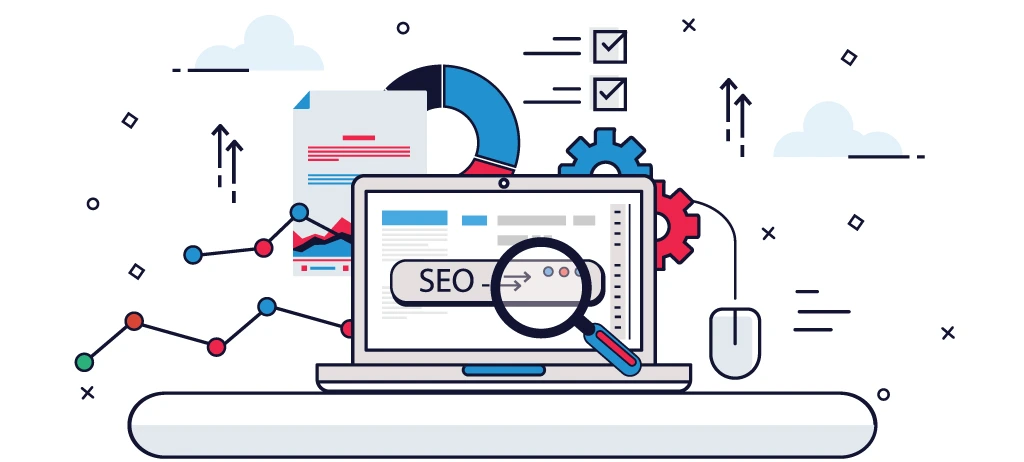
Among the various facets of SEO, technical SEO plays a pivotal role in establishing the foundation for these algorithms. In straightforward terms, this involves optimizing the technical aspects of a website and server functionalities. This optimization aids search engines in efficiently crawling and indexing your site. Are you curious about what the technical SEO checklist involves? Let’s find out in this blog.
What is Technical SEO?
Technical search engine optimization services is the process of optimizing a website’s infrastructure to improve how search engine bots crawl, index, and understand its content. It involves enhancing technical elements like page speed, crawlability, and indexing signals to increase visibility on search engine results pages (SERPs). As part of on-page SEO, technical SEO focuses on improving the website’s backend structure, ensuring search engines can efficiently access and evaluate the site for better rankings.
For a deeper, step-by-step breakdown of implementation strategies, you can explore our complete technical SEO guide 2026.
Technical SEO vs On-Page SEO vs Off-Page SEO
| Factor |
Technical SEO |
On-Page SEO |
Off-Page SEO |
| Definition |
Optimizing website infrastructure for crawling, indexing, and performance |
Optimizing content and elements on a webpage |
Improving authority through external signals |
| Focus Area |
Backend (site structure, speed, indexing) |
Content, keywords, HTML elements |
Backlinks, brand mentions, reputation |
| Goal |
Help search engines access and understand the site |
Improve relevance for target keywords |
Increase authority and trust |
| Key Elements |
Core Web Vitals, crawlability, XML sitemap, robots.txt, HTTPS |
Title tags, meta descriptions, headings, content, internal links |
Backlinks, social signals, outreach, citations |
| Tools Used |
Google Search Console, Screaming Frog, PageSpeed Insights |
SEO plugins, content tools, keyword tools |
Ahrefs, SEMrush, outreach tools |
| Impact on SEO |
Foundation of SEO performance |
Directly affects rankings and CTR |
Boosts domain authority and rankings |
| Examples |
Fixing crawl errors, improving site speed |
Optimizing title tags and content |
Building backlinks from high-authority sites |
| Control Level |
Full control (your website) |
Full control (your website) |
Limited control (external sites) |
The 15-Step Technical SEO Checklist (2026)

It is very common to feel overwhelmed by implementing various tasks on your website to optimize it. You can look at the following technical SEO checklist to improve your website’s user experience and boost its ranking in Google’s organic search results. Here’s a compilation of the top 15 technical SEO checklists you should incorporate to make your website more SEO-friendly:
HTTPS is a confirmed Google ranking signal. It encrypts data between the user and your server, building trust with both visitors and search engines. If your site still runs on HTTP, migrating to HTTPS via an SSL certificate is non-negotiable — Google actively flags non-HTTPS sites as "Not Secure," which tanks both rankings and user trust.
An XML sitemap acts as a roadmap for search engine crawlers, telling them which pages exist and should be indexed. A well-optimized sitemap includes only canonical, indexable URLs — no redirects, no noindex pages, no broken links. Submit it via Google Search Console and update it automatically whenever new pages are published.
The robots.txt file instructs search engine bots on which pages or directories to crawl or ignore. A misconfigured robots.txt can accidentally block your entire site from being indexed — one of the most damaging and easily overlooked SEO mistakes. Always audit it to ensure your important service pages, blog posts, and assets are crawlable.
Crawl errors occur when search engines try to access a page but fail — due to 404s, server errors, or redirect loops. These waste your crawl budget and signal poor site health to Google - especially on large websites, where applying crawl budget optimization for large sites becomes essential to ensure Googlebot focuses on high-value pages instead of errors and low-priority URLs. Regularly audit crawl errors in Google Search Console, fix or 301-redirect broken URLs, and ensure deleted pages point to relevant live alternatives.
Canonical tags tell search engines which version of a page is the "master" copy, preventing duplicate content issues. They're essential when similar or identical content exists across multiple URLs — such as product pages with URL parameters or paginated content. Without them, Google may split ranking signals across duplicates, weakening all versions.
-
Core Web Vitals (LCP, CLS, INP)
Core Web Vitals are Google's user experience metrics that directly influence rankings. LCP (Largest Contentful Paint) measures loading speed, CLS (Cumulative Layout Shift) measures visual stability, and INP (Interaction to Next Paint) measures responsiveness. Poor scores result in ranking penalties — target LCP under 2.5s, CLS under 0.1, and INP under 200ms. To understand optimization strategies in detail, check out Core Web Vitals guide.
Google now uses the mobile version of your site as the primary version for indexing and ranking. If your mobile experience is slow, has missing content, or renders poorly, your rankings suffer — regardless of how good your desktop version looks. Responsive design, readable font sizes, and tap-friendly navigation are all essential.
Steering clear of duplicate content is vital for maintaining a healthy website. Employing canonical URLs communicates to Google the specific version of a web page to crawl and index. A simple addition of rel=”canonical” in your page code accomplishes this. It is advisable to designate a preferred canonical URL for all your site’s pages. Additionally, you can configure your content management system (CMS), such as WordPress, to refrain from publishing multiple iterations of the same content, thus preventing duplication from the outset.
Page speed is both a ranking factor and a user experience factor — slow pages lose visitors before they even see your content. Key optimizations include compressing images, enabling browser caching, minifying CSS/JS, using a CDN, and reducing server response times. Even a 1-second improvement in load time can significantly boost conversions and rankings. W3Era offers a free SEO tool “Page Speed Checker” to identify the page loading time of your website.
Related Blog: page speed optimization checklist 2026
-
Structured Data & Schema Markup
Structured data markup is code added to your pages that helps search engines understand your content contextually — enabling rich results like star ratings, FAQs, breadcrumbs, and service listings in the SERPs. For a digital marketing company, implementing LocalBusiness, Service, and FAQPage schema on service pages can dramatically improve click-through rates even without a ranking change.
Duplicate content confuses search engines about which page to rank, diluting authority across multiple URLs. Thin content — pages with very little value or information — signals low quality and can trigger manual penalties. Audit your site for near-duplicate pages, consolidate weak content, and ensure every indexed page meets a minimum threshold of depth and usefulness.
Broken internal and external links damage user experience and waste crawl budget. Internal broken links prevent link equity from flowing through your site, while broken outbound links signal neglect to search engines. Use tools like Screaming Frog or Ahrefs to run regular audits, then fix, redirect, or remove every broken link found.
-
Hreflang (International SEO)
Hreflang tags tell search engines which language or regional version of a page to serve to users in different countries or locales. Without them, Google may show the wrong language version to international users, hurting both rankings and user experience. If your digital marketing company targets multiple regions or languages, hreflang implementation is critical to avoid cross-regional cannibalization.
-
Checking Your Site for Dead Link
Dead links (pages that have been deleted or moved) and broken links (non-responsive pages) can potentially harm your website’s SEO. There are two significant reasons for concern. First, Google crawlers invest time in these links without yielding substantial results. Second, users tend to visit and exit these links swiftly, leaving the search engine with a negative impression of the website. Therefore, it is crucial to conduct regular website audits, identify dead or broken links, and optimize the website accordingly. One of the simplest methods to identify these links is through Google Search Console.
Paginated content — such as blog archives, service category pages, or product listings — can confuse crawlers if not handled properly. Use rel="next" and rel="prev" attributes or consolidate paginated content where possible. Avoid letting paginated URLs with thin content get indexed independently, as they can dilute the authority of your main category or service pages.
-
JavaScript SEO & Rendering
If your website relies heavily on JavaScript to render content, search engines may struggle to crawl and index it properly — especially if critical text, links, or headings only appear after JS execution. Use server-side rendering (SSR) or dynamic rendering for important content, and test how Googlebot sees your pages using the URL Inspection tool in Search Console to confirm content is visible post-render.
Breadcrumbs help both users and search engines understand your site's hierarchy — showing the path from the homepage to the current page (e.g., Home → Services → SEO Services). They improve internal linking, reduce bounce rates, and enable breadcrumb-rich results in Google SERPs. Pair them with BreadcrumbList schema markup for maximum visibility and crawl efficiency.
To perform an effective technical SEO audit, you need the right set of tools to identify issues related to crawling, indexing, site speed, and overall performance. Here are the most reliable tools available:
Free Tools:
- Google Search Console — Monitors crawl errors, indexing coverage, Core Web Vitals, and manual penalties directly from Google
- Google PageSpeed Insights — Evaluates page speed and highlights performance bottlenecks on both mobile and desktop
- Screaming Frog SEO Spider (Free) — Crawls up to 500 URLs and uncovers broken links, redirect chains, duplicate content, and missing meta elements
- GTmetrix — Provides waterfall charts and speed diagnostics to identify render-blocking resources and slow server response times
- Google Rich Results Test — Validates your schema markup and checks eligibility for rich results in Google Search
- Google Mobile-Friendly Test — Checks whether your pages meet Google's mobile usability standards for mobile-first indexing
Paid Tools:
- Screaming Frog SEO Spider (Paid) — Removes the 500 URL limit and adds JavaScript rendering, scheduled crawls, and Google Analytics integration
- Ahrefs Site Audit — Runs 100+ technical checks with severity-based prioritization and crawl comparison to track improvements over time
- SEMrush Site Audit — Delivers a full site health score with issue breakdowns across crawlability, HTTPS, performance, and internal linking
- Sitebulb — Offers visual crawl maps, plain-language issue explanations, and structured data validation — ideal for agency client reporting
- Lumar (DeepCrawl) — Enterprise-grade platform combining crawl data, log file analysis, and search performance for large-scale websites
- Botify — Advanced enterprise tool focusing on crawl budget management, log file analysis, and JavaScript rendering for million-page websites
Using a smart combination of free and paid tools ensures your audit is both thorough and actionable, covering every layer of your website's technical foundation.
Common Technical SEO Mistakes to Avoid
Many websites fail to rank despite good content simply because of avoidable technical SEO mistakes working silently in the background. Here are the most common ones to watch out for:
Crawling & Indexing Mistakes:
Content & Structure Mistakes:
Mobile & Rendering Mistakes:
Conducting regular audits using Google Search Console, Screaming Frog, and PageSpeed Insights — and addressing issues promptly — is the most reliable way to keep your technical foundation strong and your rankings consistently improving.
Conclusion
In the realm of SEO, a well-executed technical foundation is indispensable. Technical SEO focuses on optimizing a website’s infrastructure for effective crawling and indexing by search engine bots. This entails auditing and enhancing technical elements to improve a website’s chances of achieving a higher ranking on Search Engine Results Pages (SERPs). Key aspects of robust technical SEO include optimizing page load times, facilitating easier crawling, and providing sufficient information to search engine algorithms for accurate indexing. At W3Era, we understand the pivotal role that technical SEO plays in shaping a website’s performance and visibility. Our dedicated team of experts excels in implementing comprehensive strategies to ensure your website aligns seamlessly with search engine algorithms.