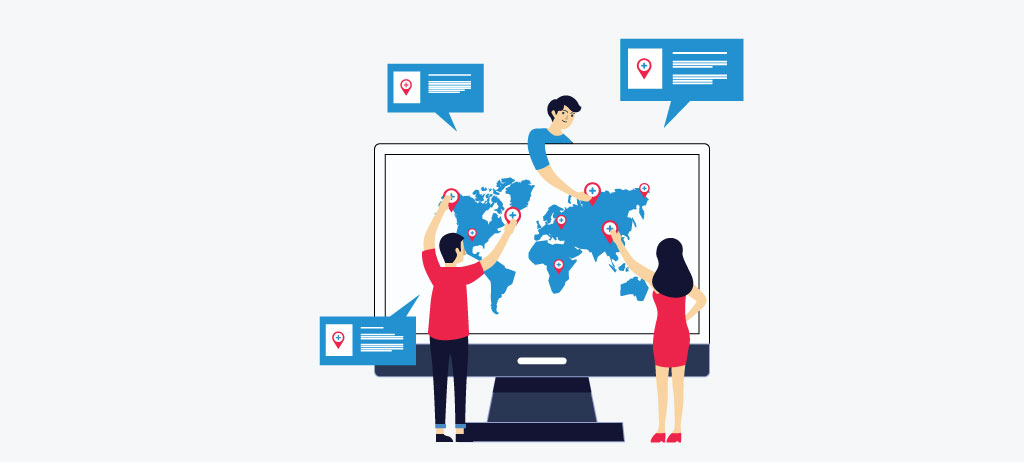
Google Business Profile (formerly Google My Business) is the single most important free tool for local SEO in 2026. Businesses with fully optimized GBP profiles are significantly more likely to appear in the Local Pack — the map results shown at the top of Google for location-based searches.
According to BrightLocal, 98% of users read online reviews before visiting a local business, and 86% of customers look up a business on Google Maps before visiting. Yet most businesses set up their profile once and never touch it again — leaving significant ranking potential and revenue on the table.
This guide covers 20 proven optimization tips, a full audit process, a step-by-step setup guide, and the most common mistakes that get profiles suspended. Whether you're setting up a new profile or fixing an underperforming one, this checklist covers every step.
What Google Uses to Rank GBP Profiles
Before diving into the tips, it helps to understand what Google is actually evaluating. Three factors determine where your profile appears:
- Relevance — How well your profile matches what someone is searching for. Complete, accurate, keyword-rich profiles rank higher because Google has more information to match against queries.
- Distance — How close your business is to the searcher. You can't control proximity, but keeping your address accurate and consistent across all listings ensures Google has the right data.
- Prominence — How well-known and trusted your business is, based on reviews, backlinks, citations, and overall online presence. This is where most of the optimization work happens.
Every tip in this checklist moves at least one of these three signals in the right direction.
Section 1: Profile Setup and Completeness (Tips 1–5)
An incomplete profile is an invisible profile. Google rewards businesses that fill out every available field — and penalizes gaps with lower visibility.
An unclaimed GBP can be edited by anyone — competitors, trolls, or well-meaning strangers who get your details wrong. Verification locks the profile to you and makes it eligible to rank in the Local Pack and Google Maps.
Go to business.google.com, search for your business, and claim it if it already exists. If not, create it from scratch (see the step-by-step guide below). Verify via phone, text, email, or video depending on the options Google offers for your business type. Do not skip this step — an unverified profile has significantly reduced ranking potential.
Tip 2: Get Your Business Name Exactly Right
Your business name on GBP should match your real-world business name exactly — no more, no less. Do not add city names, keywords, or service descriptions to your business name field. "W3Era SEO Agency Dallas Texas" is a violation. "W3Era" is correct.
Google considers keyword stuffing in the business name a spam signal and may suspend your profile for it. If you see competitors doing this and outranking you, report them via the "Suggest an Edit" function — Google does act on these reports, and their inflated names often get corrected.
Tip 3: Choose Your Primary Category Carefully — It's Your Most Important Ranking Signal
Your primary category is the single most powerful ranking factor in your GBP. It tells Google what type of business you are and determines which searches your profile is eligible to appear in. Choose the most specific, accurate primary category available — not the broadest one.
Use the free PlePer Local SEO Tools Chrome extension to see which categories your top-ranking competitors are using. If the businesses outranking you are using a more specific category than you are, that's an easy fix with immediate impact.
Add secondary categories for additional services you offer, but keep them accurate. A plumber shouldn't add "General Contractor" as a secondary category just to appear in broader searches — Google recognizes and penalizes this pattern.
Tip 4: Write a Business Description That Works for Humans and Search
Your business description (750 characters maximum) should clearly explain what you do, who you serve, and what makes your business different. Include your primary keyword and location naturally — not forced.
Good structure: what you do → who you serve → what makes you different → location signal.
Example for an SEO agency: "W3Era is a full-service SEO agency helping businesses across the US and UK grow organic search traffic through link building, technical SEO, and local search optimization. Based in Jaipur with a US presence in Dallas, we've delivered measurable results for 500+ clients across competitive markets."
Avoid: promotional language like "best in the city," superlatives, phone numbers, URLs, or anything that reads like an ad. Google will reject descriptions that violate these guidelines.
Tip 5: Fill Out Every Available Attribute
Attributes are the small details that appear on your profile — "women-owned," "wheelchair accessible," "outdoor seating," "free Wi-Fi," "LGBTQ+ friendly." They seem minor but serve two important purposes.
First, many users filter search results by attributes. If your competitors have "online appointments" marked and you don't, you're invisible to everyone using that filter. Second, attributes add completeness signals that Google uses to rank profiles.
Go through every attribute available for your business category and mark every one that accurately applies. Don't mark attributes that don't apply — Google can verify many of these through user contributions and will flag inaccuracies.
Section 2: Visual Optimization and Engagement (Tips 6–10)
Photos and engagement signals tell Google your business is active and trustworthy. Profiles with strong visual content receive significantly more clicks, calls, and direction requests than text-only profiles.
Tip 6: Upload High-Quality Photos — And Keep Adding Them
Google's own data shows that businesses with photos receive 42% more requests for directions and 35% more website clicks than businesses without photos. The algorithm also uses photo upload frequency as a freshness signal — profiles that add new photos regularly outperform static ones.
At minimum, upload:
- Cover photo (1332 x 750px) — your most important image, shown prominently in search results
- Logo (250 x 250px minimum) — used in knowledge panels and map pins
- Interior photos — show what the inside of your business looks like
- Exterior photos — help customers recognize and find you
- Team photos — build trust and humanize your brand
- Product or service photos — show what you actually deliver
Add new photos at least twice a month. Geo-tagged photos (images with location data embedded in the EXIF metadata) send an additional location signal to Google — use a tool like GeoImgr to add coordinates before uploading.
Tip 7: Use Google Posts Weekly
Google Posts are short updates — offers, events, new products, news — that appear directly on your profile in search results. They expire after 7 days (event posts expire after the event date), which means Google can see exactly how active you are based on how often you publish.
Businesses that post consistently send a freshness signal that contributes to ranking. Posts also give you direct real estate in the search result itself — a promotional post or event can appear right below your business information, taking up more space and catching more attention before a user even clicks.
Post at least once per week. Good content for posts: seasonal promotions, new services, case study highlights, awards or recognitions, tips relevant to your customers, or local events you're involved in.
Tip 8: Set Up and Actively Manage the Q&A Section
The Q&A section on your GBP is publicly editable — anyone can ask a question, and anyone can answer it. This means if you don't manage it, a competitor or misinformed user might be answering questions about your business incorrectly.
Audit your Q&A section today. Remove inaccurate answers by flagging them. Answer every existing question with a thorough, accurate response. Then proactively seed the section with the most common questions your customers ask — and answer them yourself. This is legitimate and encouraged by Google.
Good seed questions:
- What areas do you serve?
- Do you offer free consultations?
- What are your payment options?
- How quickly can you start?
- Are you licensed and insured?
Tip 9: Add All Products and Services With Descriptions
The Products and Services sections are underused by most businesses and represent a significant missed opportunity. Each product or service entry can include a name, description, price, and a link to the relevant page on your website.
This serves three purposes: it adds keyword-rich content to your profile that Google indexes, it gives users more information before they decide to contact you (improving lead quality), and it provides additional links back to your website from a high-authority Google property.
Add every service you offer. Write a genuine 2–3 sentence description for each. Include natural keyword variations — "link building services," "white hat link building," "backlink acquisition" — without stuffing.
Tip 10: Enable Messaging and Respond Fast
Google Messaging allows customers to contact you directly from your GBP without calling or visiting your website. More importantly, Google tracks your response time and displays it on your profile. A "Typically responds within a few minutes" badge significantly increases contact rates.
Enable messaging in your GBP dashboard and assign someone to monitor and respond within the hour during business hours. Set up automated welcome messages so users get an immediate acknowledgment even when no one is available. A slow or non-existent response rate is a ranking negative — Google deprioritizes profiles with poor engagement signals.
Section 3: Review Management and Reputation (Tips 11–14)
Reviews are the most visible trust signal on your GBP and one of the strongest local ranking factors. Google measures review count, average rating, recency, and response rate — all of which contribute to your prominence score.
Tip 11: Build a Consistent Review Acquisition System
The businesses that dominate local search don't have more reviews because they're better — they have more reviews because they ask for them systematically. A single email or request sent to all past clients generates a short burst. A system that requests reviews from every new client at the right moment generates a steady, sustainable flow.
The right moment is immediately after a positive interaction — after a project milestone, after a problem gets resolved quickly, after a client compliments your work. Send a direct link to your GBP review page (get this from your GBP dashboard under "Share review form") so there's zero friction.
Do not offer incentives for reviews. Google's guidelines prohibit this and users can report it, triggering a penalty or suspension. Ask genuinely, provide the link, and make it easy.
Tip 12: Respond to Every Review — Positive and Negative
Google's algorithm factors your response rate into your prominence score. But beyond rankings, how you respond to reviews is often the first thing a potential customer reads when evaluating your business.
For positive reviews: thank the reviewer by name, reference something specific they mentioned, and reinforce a key service or value ("We're glad the technical SEO audit gave you a clear roadmap — that's exactly what we aim to deliver").
For negative reviews: respond within 24 hours, acknowledge the issue without being defensive, offer a resolution path offline ("Please reach out to us directly at [email] so we can make this right"), and keep the tone professional. A well-handled negative review often builds more trust than a page of five-star responses with no substance.
Never respond to negative reviews with defensiveness, blame, or requests to remove the review. These responses are permanent and visible to everyone evaluating your business.
Tip 13: Monitor and Report Fake or Spam Reviews
Fake reviews — positive ones from people who never used your service, or negative ones from competitors — are a real problem that Google still doesn't catch automatically. Monitor your reviews weekly.
Flag suspicious reviews via the "Flag as inappropriate" option on each review. If a cluster of fake reviews appears (often a coordinated competitor attack), document them and submit a formal report through Google Business Profile support. Include screenshots, dates, and any evidence of coordination.
Also check for and remove duplicate listings — multiple GBP profiles for the same business split your reviews across listings, diluting your rating and confusing Google about your prominence.
Tip 14: Pay Attention to Review Recency and Velocity
A business with 200 reviews earned over 10 years is less trustworthy to Google's algorithm than a business with 80 reviews earned over the last 12 months. Recency matters. Review velocity — the rate at which you earn new reviews — signals that your business is actively serving customers.
If your review acquisition has stalled, re-engage past clients with a check-in email, ask at the end of every new project, and remind your team to request reviews after positive interactions. Aim for at least 2–4 new reviews per month at minimum.
Section 4: Local Authority and Technical Signals (Tips 15–20)
These tips address the broader signals that Google uses to determine how prominent and trustworthy your business is — beyond your GBP profile itself.
Tip 15: Ensure NAP Consistency Across Every Directory
Your Name, Address, and Phone Number (NAP) must be identical across every online directory, citation, and listing where your business appears. Not similar — identical. "St." versus "Street," "Suite 3K" versus "#3K," a local versus toll-free phone number — these inconsistencies confuse Google and reduce the confidence it has in your location data.
Audit your NAP consistency using a tool like BrightLocal or Whitespark. For a full list of the US directories where your NAP must be consistent, see our free business listing sites USA guide. Correct every inconsistency you find before building new citations.
For a complete walkthrough of the top 150 US directories to list your business, see our local SEO citations USA guide.
Tip 16: Build Local Citations on High-Authority Directories
Beyond NAP consistency, the number and quality of directories where your business appears contributes directly to your prominence score. Priority directories include Yelp, BBB, Bing Places, Apple Maps, Foursquare, Yelp, Yellow Pages, and industry-specific directories relevant to your business category.
Submit your business to the top 50 general and industry-specific directories with consistent NAP information. Once submitted, monitor these listings quarterly for inaccurate edits (some directories allow user-submitted changes) and update them as needed.
Tip 17: Link Your GBP to a Location-Optimized Website
The website you link from your GBP should have a page that matches the profile — a dedicated location page with your full NAP, an embedded Google Map, local keyword usage, and clear service area information. A generic homepage works, but a purpose-built location page with local signals outperforms it.
Your website's on-page SEO directly reinforces your GBP ranking. A site with strong technical health, fast Core Web Vitals, and locally optimized content tells Google you are a legitimate, established business — not a spam profile.
For businesses targeting competitive metro areas, our guide to ranking on Google Maps covers how to align your website and GBP signals for maximum Local Pack visibility.
Tip 18: Use Local Keywords Naturally Throughout Your Profile
Google reads every text field on your GBP for relevance signals — your business description, service descriptions, product names, post content, and your responses to reviews and Q&A. Using local keywords naturally throughout these fields reinforces your relevance for location-based searches.
Don't force keywords into places they don't belong — that triggers spam filters. Do use your city name, neighborhood, and service keywords where they read naturally. "We serve small businesses in Dallas, Plano, and the greater DFW area" is correct. "Dallas SEO Dallas Texas SEO agency Dallas" is a suspension risk.
Businesses in specific markets can also follow location-specific optimization strategies — see our Atlanta GBP optimization guide for an example of neighborhood-level targeting in a competitive metro market.
For a real-world example of hyperlocal optimization in action, see our Realtor Local SEO Guide 2026, which explains how agents use neighborhood pages, GBP signals, and local reviews to outrank national portals.
Tip 19: Track the Right Metrics After Optimization
Most businesses check their star rating and stop there. GBP Insights provides a much richer picture of how your profile is performing — and which optimizations are actually moving the needle.
Track monthly:
- Search queries — which keywords triggered your profile to appear in Google Search and Maps
- Total views — how often your profile appeared in search results (broken down by Search vs. Maps)
- Website clicks — traffic coming to your site directly from GBP
- Direction requests — how many users clicked "Get Directions" to your location
- Calls — number of calls generated from your GBP listing vs. previous month
- Photo views — how often your photos are viewed vs. competitor photos
- Review count and response rate — new reviews per month and your response percentage
Set a monthly 30-minute calendar block to review these metrics and identify the one thing that moved most since the previous month. This cadence catches problems early and keeps your optimization active.
Tip 20: Optimize for AI Search and Google's New GBP Features
In 2026, Google's AI Overviews increasingly cite local businesses in response to service-related queries — "best SEO agency near me," "who offers technical SEO in Dallas." To appear in these citations, your GBP needs to be comprehensive, consistently active, and well-reviewed.
Practically: make sure your profile has a complete description with natural language that answers common customer questions. AI systems extract answers from profiles that are structured clearly and cover the topic fully — thin or incomplete profiles are invisible to AI-generated results.
Also stay current with new GBP features as Google rolls them out. Recent additions — social media link fields, video content, AI-generated business summaries — reward businesses that adopt them early with additional visibility before competitors catch up. Check your GBP dashboard monthly for new feature prompts.
How to Audit Your Google Business Profile
Running a periodic audit ensures your profile stays accurate, active, and fully optimized. Focus on three core dimensions:
Relevance audit: Review every text field — business name, category, description, services, products — and ask whether each accurately reflects what you do and includes relevant keywords naturally. Update anything that's stale, inaccurate, or missing.
Distance audit: Verify your address is pinned correctly on the Google Map (drag the pin in your GBP dashboard if it's off). Confirm your service area matches the geographic scope of your actual operations. Check that your address on your website, GBP, and top directories are all identical.
Prominence audit: Count your reviews, check your response rate, review your photo count and recency, and check how many citations you have in key directories. Compare these numbers against the businesses currently in positions 1–3 of the Local Pack for your primary keyword. Our Orlando local seo guide 2026 shows how businesses can benchmark against top-performing local competitors in competitive metro areas. The gap between where you are and where they are is your optimization roadmap.
After any optimization push, track changes in:
- Local Pack position for your primary keyword
- Direction requests and calls from GBP Insights
- Website clicks from GBP
- New review count per month
For businesses targeting competitive metro areas, see our Dallas GBP optimization guide for advanced local optimization strategies in high-competition cities.
How to Create a Google Business Profile: Step-by-Step
If you're starting from scratch, here's the complete setup process.
Step 1: Add Your Business to Google Maps
Navigate to Google Maps and open the menu by clicking the toggle button on the top left corner. Select "Add your business" from the menu list.
Step 2: Set Up Your Business Account
If a Google business account already exists, sign in. If not, click "Create account," select "To manage my business," fill in your personal information, verify your identity with a phone number, and agree to the terms and conditions.
Step 3: Enter Your Business Name
Type your exact business name as it appears in the real world. Google will display a list of existing businesses. If yours appears, claim it. If not, create a new listing with your exact name — no added keywords, no city names, no service descriptors appended.
Step 4: Choose Your Business Type
Select from three options:
- Online Retail — customers purchase through your website
- Local Store — customers visit your physical location
- Service Business — you visit customers at their location
Step 5–7: Complete Setup Based on Business Type
Online Retail: Enter your website, select your business category, and optionally add a physical address if you have one.
Local Store: Enter your business category, add your physical address, and confirm your listing when Google asks "Is this your business?"
Service Business: Enter your business category, define your service areas, and enter the region where your business is based.
Step 8: Pin Your Location
Drag and zoom the map to pin your exact business location. Precision here matters — an incorrectly placed pin will send customers to the wrong spot and damage your "distance" ranking signal.
Add your business phone number. Ensure it matches the number you use everywhere else online — this is a NAP consistency element.
Step 10: Opt In for Updates
Subscribe to Google's updates and recommendations to stay informed about new features and guideline changes as they happen.
Step 11: Verify Your Listing
Verification makes your profile searchable and eligible to rank. Verify via phone call or text (most common), email, video recording, or postcard for businesses that can't verify by other means. Do not skip verification — an unverified profile cannot rank in the Local Pack.
Step 12: Customize Your Profile
After verification, complete:
- Business hours (including special hours for holidays)
- Messaging preferences
- Business description (follow the guidelines in Tip 4 above)
- Photos (follow the guidelines in Tip 6 above)
- Products and services
5 Google Business Profile Mistakes That Cause Suspension
1. Address Violations
P.O. boxes, UPS Store addresses, and virtual office addresses are not allowed unless the co-working space meets specific Google criteria. Home addresses are allowed for service businesses only if they are hidden from the public profile — a home address listed as a customer-facing location will trigger a suspension.
Making rapid changes to your business name, address, phone number, or categories can trigger Google's spam detection and flag your profile for manual review. Make changes carefully and allow time between edits. If a change is necessary, make it once and accurately.
3. Keyword Stuffing in Your Business Name
Adding keywords, city names, or service descriptors to your business name field is one of the most common suspension triggers. Your name on GBP must match your real-world business name exactly. Short-term ranking gains from name stuffing are followed by suspension — not worth it.
4. Sharing a Phone Number or Address With Another Business
Two separate businesses cannot share the same phone number or address on GBP (with narrow exceptions for multi-tenant buildings like car dealerships with separate service and sales departments). Home-based businesses operating multiple brands from the same address are particularly at risk for this violation.
5. Violations Reported by the Public
Anyone can suggest an edit to your GBP via the "Suggest an Edit" link. If reported violations are verified by Google, your profile may be suspended. The best protection is a fully compliant profile — there's nothing for competitors or disgruntled customers to report if everything is accurate and within guidelines.
Conclusion
A fully optimized Google Business Profile is one of the highest-ROI activities in local SEO — especially for businesses investing in Local SEO for Multiple Locations strategies to improve visibility across multiple branches. Companies operating multiple branches can also benefit from Local SEO for Franchises to strengthen visibility, manage rankings across locations, and maintain consistent local search performance.
Work through the 20 tips in this checklist, run a quarterly Local SEO Audit against your top competitors, and keep your profile active with weekly posts, fresh photos, and consistent review responses.
Need expert help implementing these optimizations across multiple locations or a competitive market? Our Google Business Profile Management Services handle everything from setup and optimization to ongoing management and reporting.