What Is Alt Text? Definition, Uses, and Writing Guide
A lot of creators have finally understood the role of alt text in SEO, but many still ignore it in their daily practices. Research shows that 21.6% of homepages and 43% of images lack alt text, creating a major gap between websites and users.
Alt text (alternative text) is a short written description added to an image in HTML. It tells search engines and people using screen readers what the image shows. In SEO, alt text improves accessibility, boosts rankings in Google Images, and ensures a better user experience.
Key Takeaways
- Alt text = alternative text describing an image.
- Helps accessibility, SEO, and user experience.
- Good alt text is clear, descriptive, and relevant.
- Avoid keyword stuffing and generic labels.
- Essential for local SEO, e-commerce, and global business websites.

Image Source- Harvard Gazette
For example:
Ineffective: “Harvard runners”
Effective: “Harvard Stadium with two lone runners leaping up the steps.”
This clarity helps everyone—including visually impaired users and search engines—understand the image.
Why Do Websites Need Alt Text?
Websites need alt text for three reasons:
- Accessibility: It helps visually impaired users understand images through screen readers.
- SEO: Search engines use it to index images and improve ranking opportunities.
- User Experience: It ensures clarity, especially when images fail to load or show technical errors.
Does Alt Text Help SEO?
Yes. While alt text was originally built for accessibility, it has become a critical factor in SEO. Optimized alt attributes improve:
- Google Image rankings
- Page context signals for AI search
- Local SEO relevance (helpful for e-commerce stores and service providers in locations like New York, Toronto, or Delhi)
How To Check Alt Texts On Website?
Step 1:
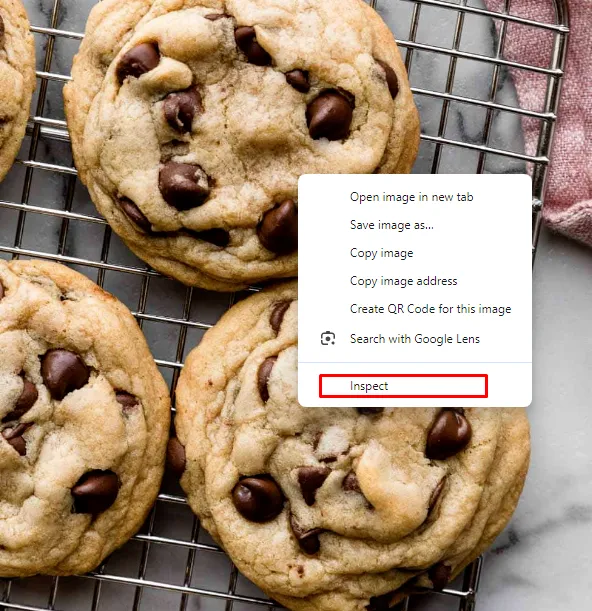
Right-click the image.
Step 2:
Click on the “Inspect” option
Step 3:
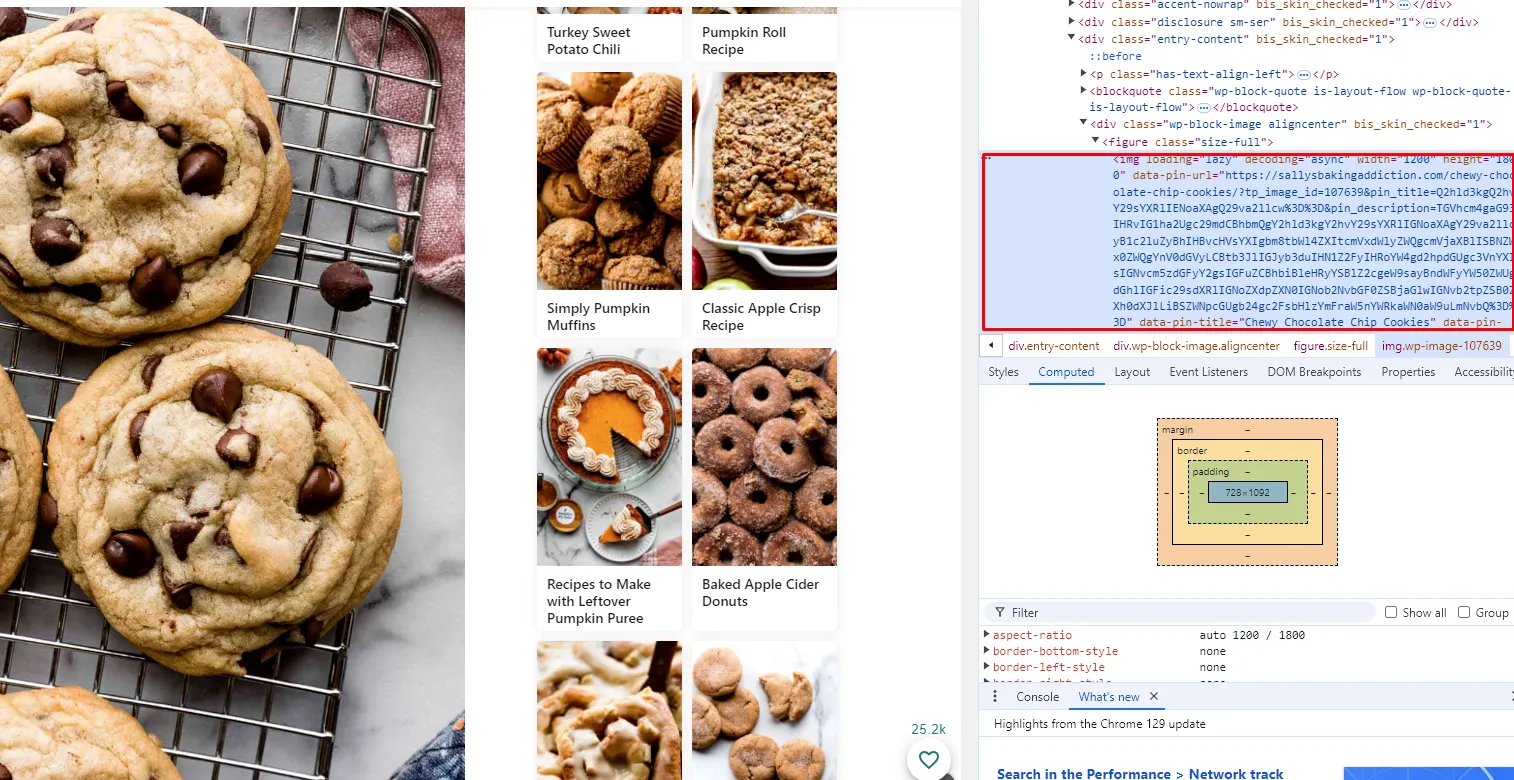
Check the HTML for the alt attribute.
What Is a Good Example of Alt Text?
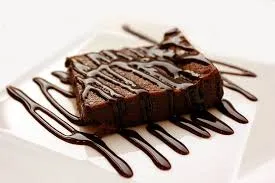
Bad alt text: “brownies”
Good alt text: “Chocolate brownies with strawberries on top, placed on a white plate.”

Bad alt text: “dog”
Good alt text: “brown beagle playing fetch in a park.”
Rule: Alt text should always describe the image clearly, without keyword stuffing.
Uses of Alt Text
1. Accessibility
Alt text makes websites inclusive by describing images to people with low vision. It allows screen readers to narrate what’s happening in the picture.
2. SEO
Google indexes alt attributes to understand visual content. This boosts visibility in SERPs and Google Images.
3. User Experience
Clear descriptions help users understand visuals—especially complex charts, infographics, or product images.
4. Brand Reputation
Sites without alt text appear less professional and inclusive, which can reduce trust and conversions.
Why Alt Text Is Important
- 12M+ internet users have visual challenges.
- 83% of shoppers prefer accessible websites, even if prices are higher.
- 97.4% of homepages have accessibility errors.
For local businesses (e.g., a law firm in New York, a Toronto travel agency, or an Indian e-commerce shop), alt text can mean higher visibility, improved conversions, and compliance with accessibility laws.
Common Alt Text Mistakes
- Leaving alt text empty
- Using the same text for multiple images
- Overly generic descriptions (e.g., “image of a fruit”)
- Keyword stuffing (e.g., “dog, puppy, beagle, dog food”)
- Using file names as alt text (e.g., “image123.jpg”)
Conclusion
Alt text is not just an SEO checkbox—it’s a foundation for accessibility, inclusivity, and discoverability. By writing descriptive alt attributes, you ensure your images rank better in Google Images, improve AI search visibility, and provide equal access for all users.
If you need help optimizing your website’s on-page SEO—including alt texts—our experts at W3Era specialize in creating strategies that improve rankings, boost visibility, and grow traffic.