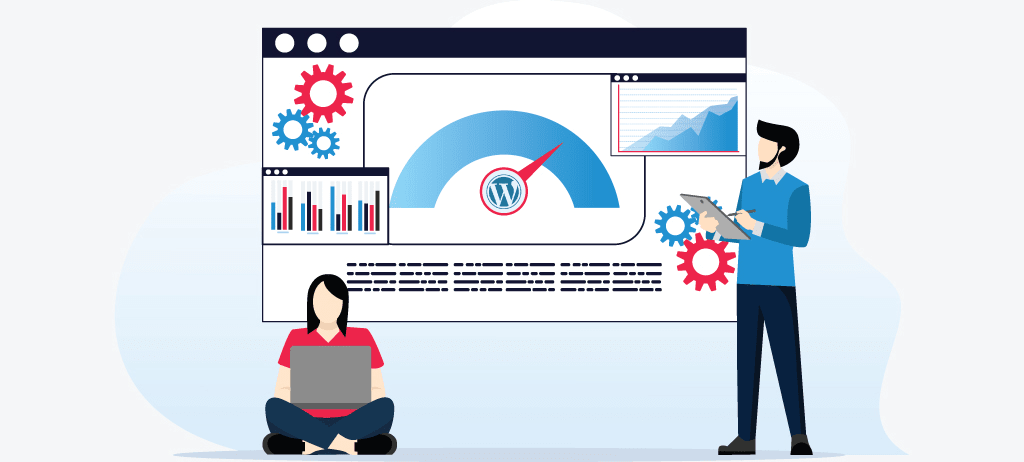
WordPress site is a highly popular platform for blogging and website content management systems. It would be viable to say that almost 43.1% of all websites on the internet are WordPress-driven. The most significant advantage of this open-source program is its customization for which a developer doesn’t even need to follow basic web development rules or guides, he can effectively use plugins or themes to make the website appeal to customers.
However, equipping your website with all available luxuries, it becomes complex to identify why your WordPress speed is slow. Yet, it is not a big problem for those who know how to use the WordPress platform and its available features smartly.
WordPress is a commendable CMS platform yet it doesn’t mean that all is good in it. Only smart people know how to dig gold out of it. Now, let’s embrace you with how you can maintain effective WordPress performance ensuring high-level security and speed optimized for enhanced user experience.

Key Takeaways
-
Improving speed and security in WordPress means choosing optimized hosting, caching plugins such as WP Rocket, and compressing images to result in a pleasant user experience and ranking of the site on search engines.
-
Your WordPress website needs protection from constant cyber threats by having regular updates, strong passwords, and good security plugins like Wordfence or Sucuri to make it less vulnerable to hacks.
-
Improving WordPress performance and loading times via a CDN, optimizing the database using WP-Sweep, and minifying code will help make a faster, smoother experience for users.
-
Monitor WordPress site performance regularly using Free Website Speed Test Tools like Google PageSpeed Insights and GTmetrix and perform consistent maintenance to adapt to changes and keep the speed and security at optimum.
-
The sustainability of WordPress comes with reputable hosting choices, SSL certificates, and timely deletion of unused plugins and themes, collectively guaranteeing the stability and safety of online presence.
Why WordPress Site Security and Speed Matter
When launching your business online, you always ensure its place in the search engine so that more users can get connected with it without compromising the security of the website. The Google algorithm considers page loading time and several other parameters to calculate the website page ranking. Therefore, a responsive website can’t afford such delay.
Want to make WordPress faster and more secure? Begin with enhancing page loading times with caching and CDN. Be sure to optimize images and install lightweight plugins! Security features include everything up-to-date, strong passwords, and using security plugins. Boosting up performance also includes securing your site!
How Speed Affects User Experience and SEO
WordPress speed is of great importance in user experience and search engine optimization, for a speedy site keeps people glued on browsing the site, results in a low bounce rate, and translates into high conversion rates. Besides, a site that loads fast is potentially SEO optimized since Google gives them priority in rankings. Enhancing speed of your wordpress includes optimizing images, caching, and using a CDN. Protecting your WordPress site from hackers must be ensured by regularly updating and using security plugins to offer protection as the site retains speed and performance in its activities.

7 Ways to Improve WordPress Site Security
It takes years to build a reputation and just a single cyber incident to ruin it. Prioritizing site security is vital in the age of digital revolution. Here are 7 unique ways to optimize your WordPress website:
1. Choose Suitable Hosting: Always choose a dedicated or WordPress hosting like WPEngine to enhance performance and security.
2. Use Caching Plugins: Install caching plugins like WP Rocket that boost WordPress speed, lowering the load on servers and thus enhancing performance.
3. Optimize Images: Compress images without losing quality to reduce loading time and release stress about the site security.
4. Install SSL Certificate: An SSL certificate secures your site by encrypting data while enhancing security and your website's SEO ranking.
5. Keep WordPress Updated: Maintaining regular updates for WordPress, core, themes, and plugins ensures patching any security breaches.
6. Limit Login Attempts: Restrict failed login attempts to thwart brute-force attacks and safeguard your WordPress site against hackers.
7. Use Trusted Security Plugins: With proven plugins, detect and block threats right away to help secure your site from possible breakthroughs.
These steps go a long way in ensuring fast track speeds and maximize security from hackers are at bay. Regular WordPress maintenance services keep things ticking smoothly and glitch-free.
How to Speed Up a WordPress Site
Speed is the backbone of exceptional user experience. To maximize the user experience, you must speed up the WordPress site. Here are the expert suggestions to make it possible:
-
Optimize Images: Compress images using plugins such as Smush or ShortPixel and enable lazy loading to delay loading until a user scrolls down.
-
Use a Caching Plugin: Install WP Super Cache or W3 Total Cache to reduce server load and power up the speed of loading pages.
-
Leverage a CDN: Implement a Content Delivery Network (CDN) to serve static files faster, boosting WordPress speed for global users.
-
Database Optimization: Clean your database with plugins like WP-Sweep, which will remove outdated post revisions, spam, and unnecessary data.
-
Choose a Fast Hosting Provider: Pick a good host who offers WordPress-specific features and a significant uptime for faster, more stable sites.
-
Minify Code: Minify HTML, CSS, and JavaScript using minifying tools like WP Rocket. It reduces the size of the files and increases the speed of loading up the website, simultaneously improving WordPress performance.
-
Delete Unused Plugins: Unused plugins and themes create unnecessary bandwidth and higher server requests, posing a security threat.
And these are the methods that make WordPress faster. The speed and performance of an entire WordPress installation increase with these methods.
Maintaining optimal WordPress performance is crucial for a seamless user experience and higher search rankings. By focusing on key considerations, you can ensure your site runs efficiently for the long haul.
Monitoring Your WordPress Site Performance Regularly
To monitor the WordPress speed regularly, use tools like Google PageSpeed Insights, Pingdom, and GTmetrix to see your loading times and identify any errors on your site. Schedule the tests to assess performance trends, optimize images, manage databases, and ensure proper functioning of caching and CDNs for continuous improvement.
Can a WordPress Site Be Hacked?
Yes, WordPress websites may get hacked due to several factors, including outdated software, vulnerable plugins, and weak passwords. WordPress, plugins, and themes should always be up to date; introduce strong passwords, install security plugins, and conduct regular backups to maximize your WordPress site security. These steps immensely decrease the chances of hacking.
Ongoing WordPress Maintenance Services
The full range of WordPress maintenance services, whether from WP Buffs, GoWP, Newt Lab, or SiteCare, secures, performs, and speeds the site. These services guarantee support, updates, SEO optimization, backups, and customizations at any time, monitoring site performance with tools such as PageSpeed Insights and Pingdom.
People Also Read: Make Your WordPress Site Mobile Friendly: Speed Up Wordpress Site
Conclusion
If your WordPress site is slow, then it means that you are losing thousands of free customers and visitors daily. Never fall behind in implementing listed techniques. Plug-ins manage a majority of work, eliminating the need to craft a single-line code and time to implement it. Checking and optimizing your site takes a lot of work. Frequent WordPress maintenance services such as updates, image optimization, and installing security plugins are required for multiple speed and security improvements. Hire a professional to keep your WordPress site up and running. Optimize and secure your WordPress site for an energy-efficient and high-performing experience with W3era Digital Marketing Services.